HOW IT WORKS

Timing on your TV's time.

The timing feed reaches the app tens of seconds before the pictures reach your TV. The app keeps one clock for everything on screen, and TV sync moves that clock back by your own broadcast delay.

THE PROBLEM

The data is ahead of your TV.

The leader crosses the line. The timing feed knows straight away, your TV shows it tens of seconds later. Without sync, the app tells you what happened before you see it.

TIMING FEED
LEADER CROSSES THE LINE
YOUR TV
YOUR DELAYYOU SEE IT
APP WITH TV SYNC
APP SHOWS IT
TIME →
TV SYNC

Three steps.

01

Open the live session

The timing is ahead of your TV, so the app says so and waits for your tap.

02

Tap LIGHTS OUT

Tap LIGHTS OUT when the lights go out on your TV. Later in the race the same button reads NEW LAP: tap it as the leader crosses the line. That one tap measures your delay, anything from a few seconds to three minutes.

03

Watch

Tower, map, race control, sector times and the pit stop list now run on your TV's time. A pulsing beacon shows when the leader should cross the line on your screen. If it drifts, nudge the delay by one second or five.

CAME IN LATE?

FROM START replays the recording from lights out, and you can step lap by lap back to live.

ANY BROADCAST, ANY COUNTRY

TV sync measures your delay rather than assuming one, so it works with any broadcast. It cannot see what the TV director is showing, so a tap made while the camera is on the leader is more accurate than one made during a replay.

LIVE WINDOWS

Opens 30 minutes before the start.

Each live card shows LIVE NOW, or OFFLINE with a countdown to the next session. Replay cards open the calendar straight away.
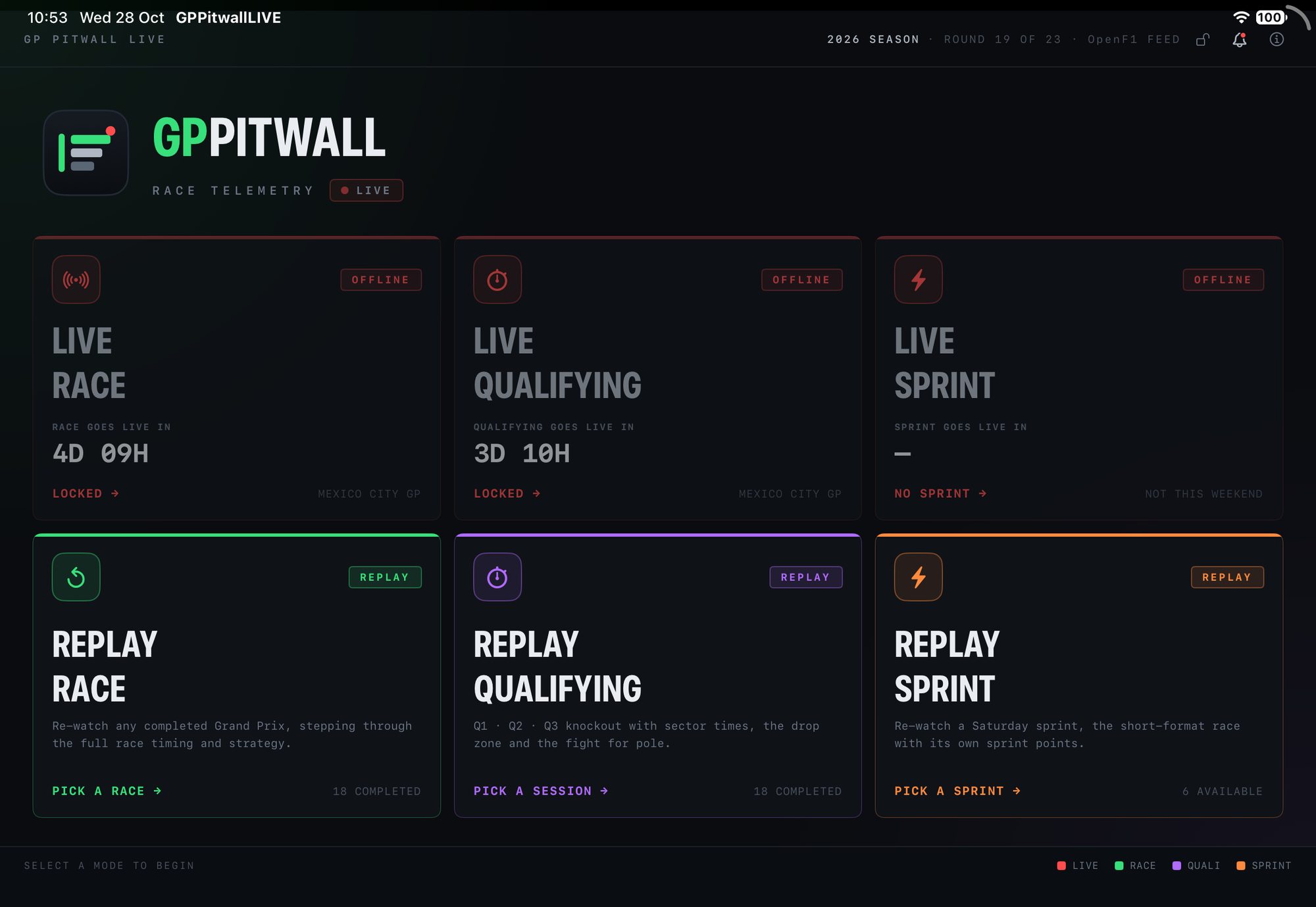
The mode picker with live cards counting down to the Mexico City Grand Prix and the three replay modes open
BEHIND THE SCREEN

The rest, in plain words.

LIVE WINDOWS

Every race, qualifying, sprint and sprint qualifying opens in the app 30 minutes before the start, with a countdown.

REPLAYS

Every session is recorded automatically and is ready about 30 to 40 minutes after it ends.

ONE FEED, SHARED

A small server holds one connection to the timing data and shares it with every app.

NOTHING TO SIGN UP FOR

No account and no login. The app never talks to the data provider directly.